


Activate product
Microsoft has been having problems with product activation for several months, and the following message appears during phone activation:
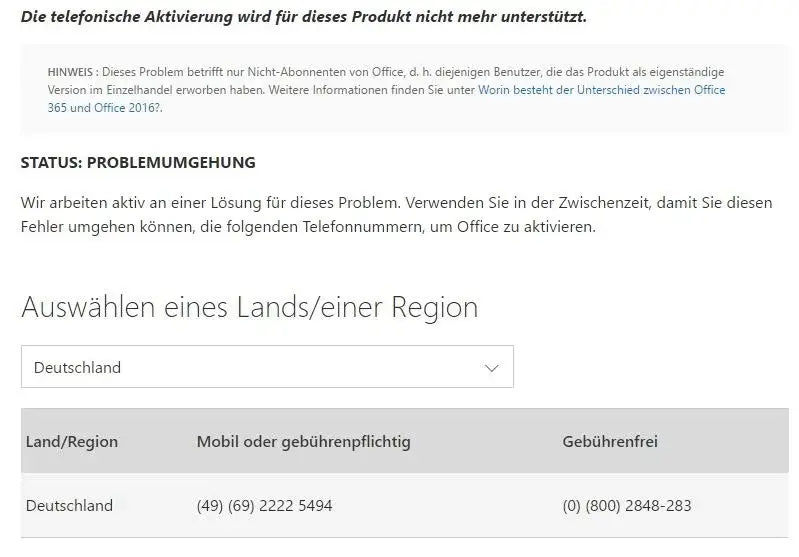
Fortunately, phone activation is still available, allowing you to activate by phone. We’ll guide you through the steps. If online activation fails, go back and select phone activation. The following window will appear:
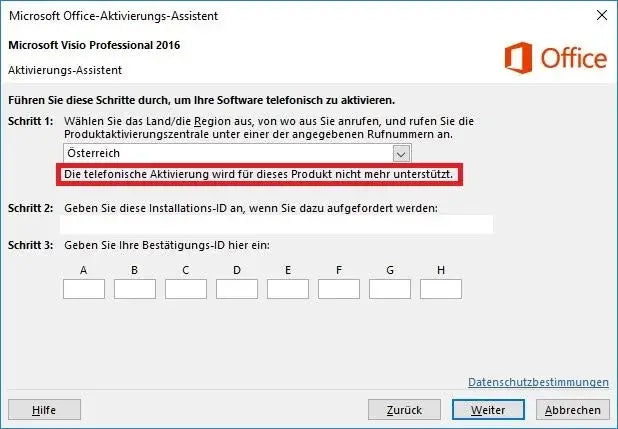
Don’t let this message confuse you; just look at the installation ID under step 2. There you’ll find several blocks of 6 or 7 digits. Simply count how many digits are in each block, then call the following number: 0800 2848 283
You’ll then be asked for the installation ID. After entering it, you’ll receive a confirmation ID, which you can enter again in the blocks labeled A-H in the window.


